There are two basic ways to create hitting plans for multiple athletes and they can be found on separate tabs within each individual Service:
- Sessions
- Programs
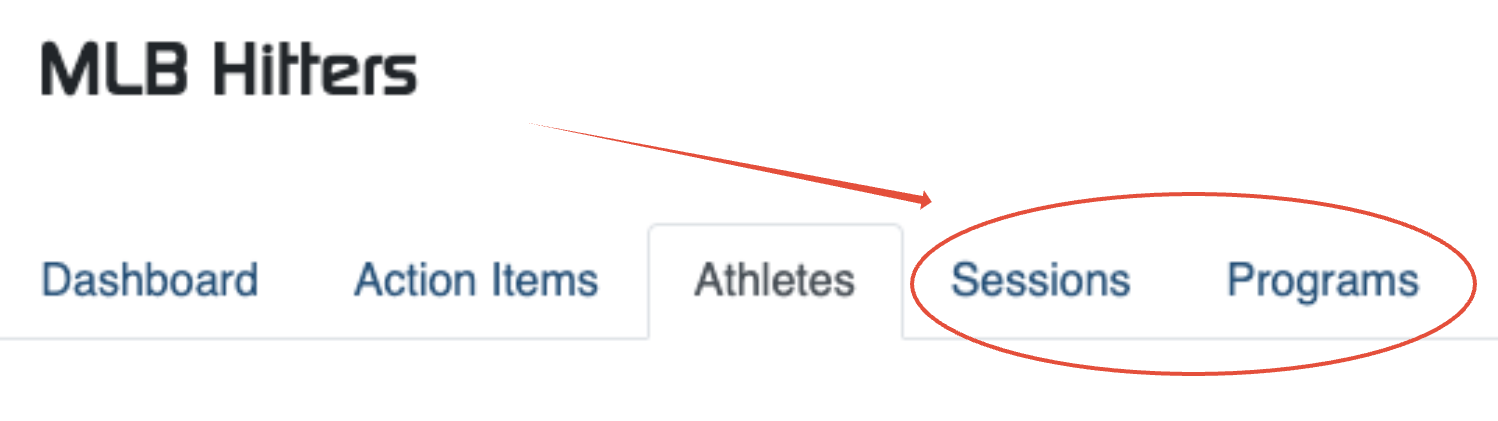
Sessions
Sessions give the coach the ability to create a single day workout for individual athletes within a service, and give the easiest possible way for the coach to visualize each players hit plan.
An example of when a coach or organization would want to use an individual 'Session' is for instance:
- Younger players with no device
- Small number of players from a team working out
- Vary the cadence of the workout (tee, flips, BP, etc.)
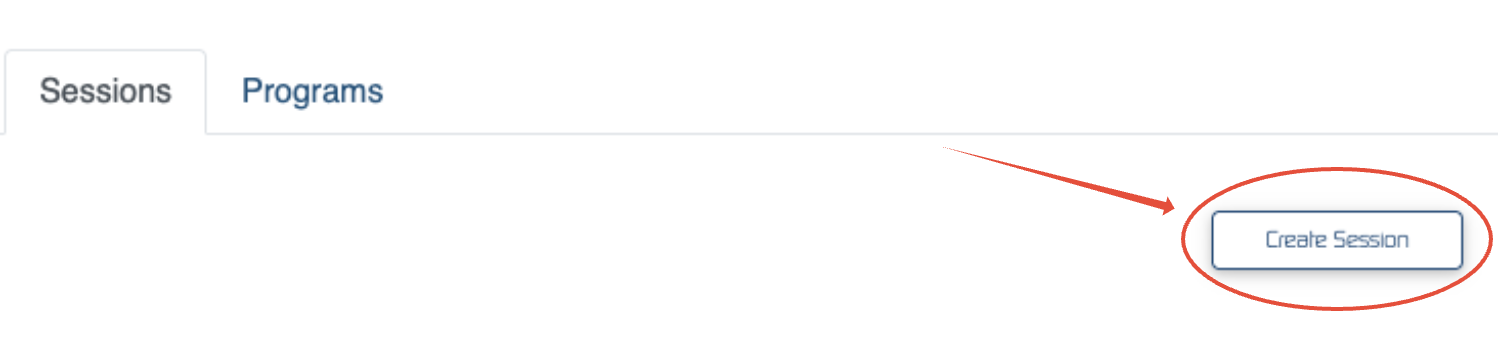
To create a session:
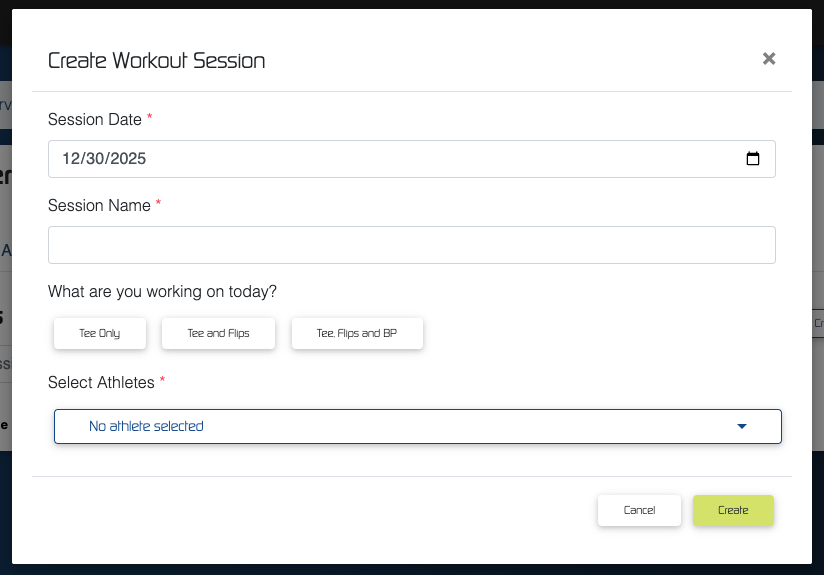
Once prompted, enter the following information in the modal:
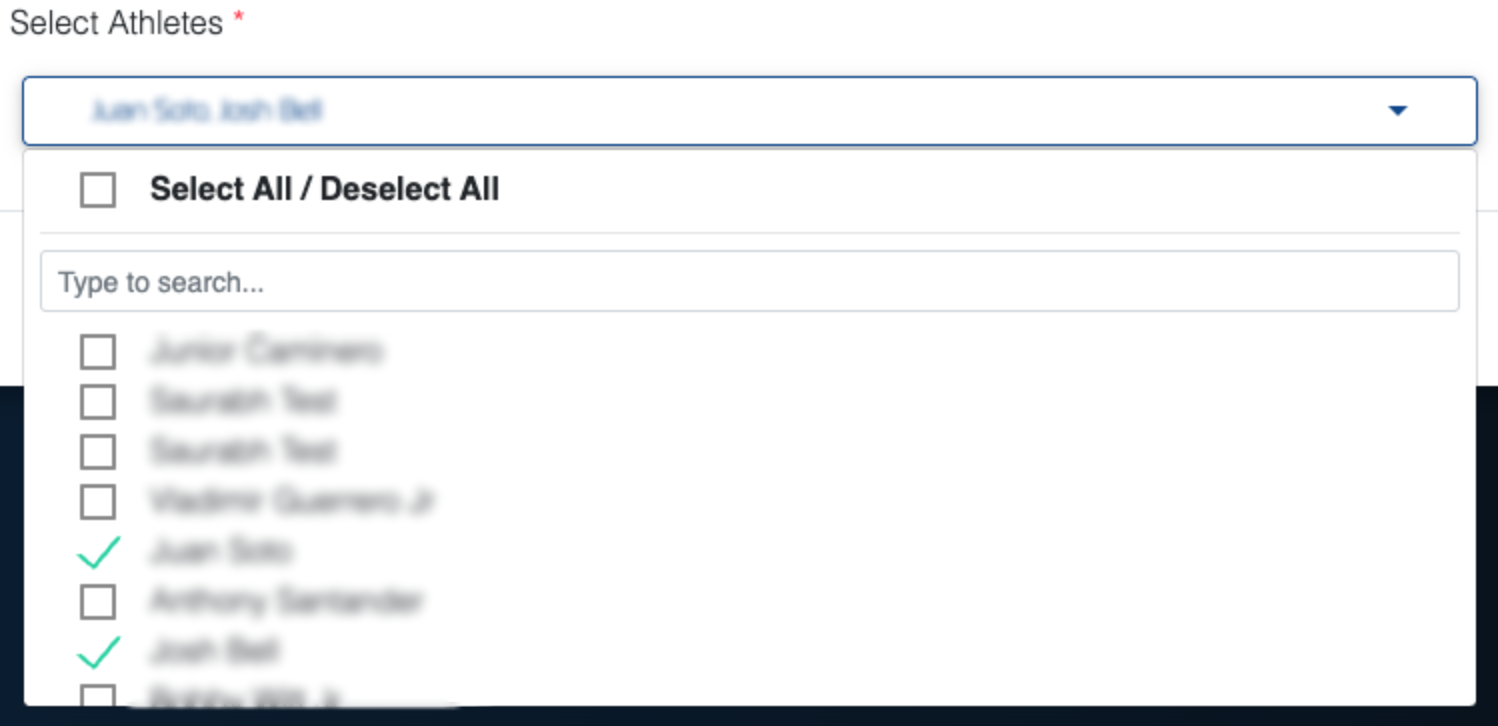
You will be able to choose from the list of athletes that are present for that day's hitting session or select all the athletes from the service.
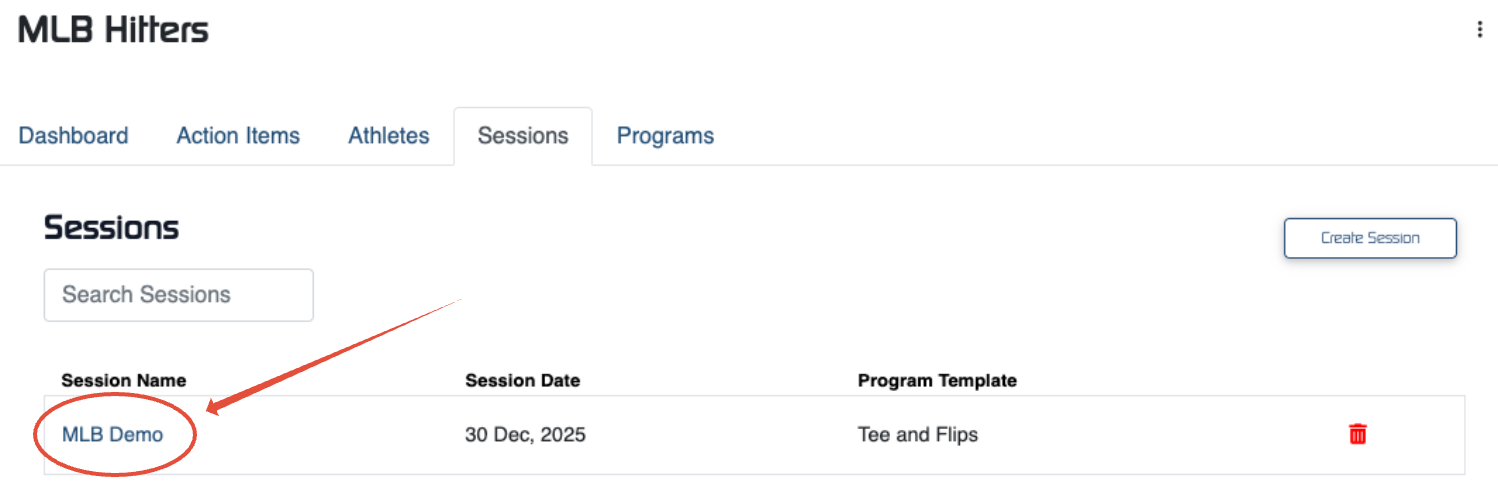
Once a session is created, it will be listed under the 'Sessions' tab. You and any other coaches who need to access the session, can enter it by clicking on it.
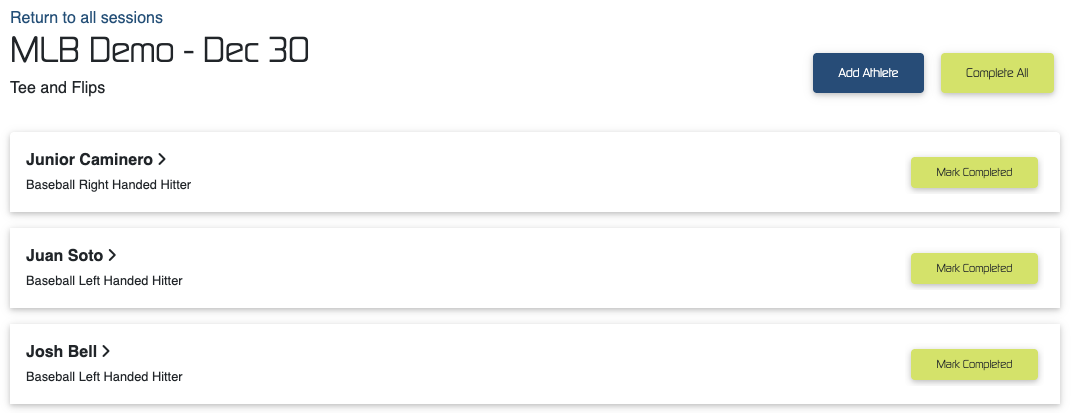
The programs will be displayed on a single page, where coaches will have the ability to complete the workouts for them either individually, or collectively.
If a player arrives late to the session, coaches will have the ability to add them to the session by clicking the 'Add Athlete' button.
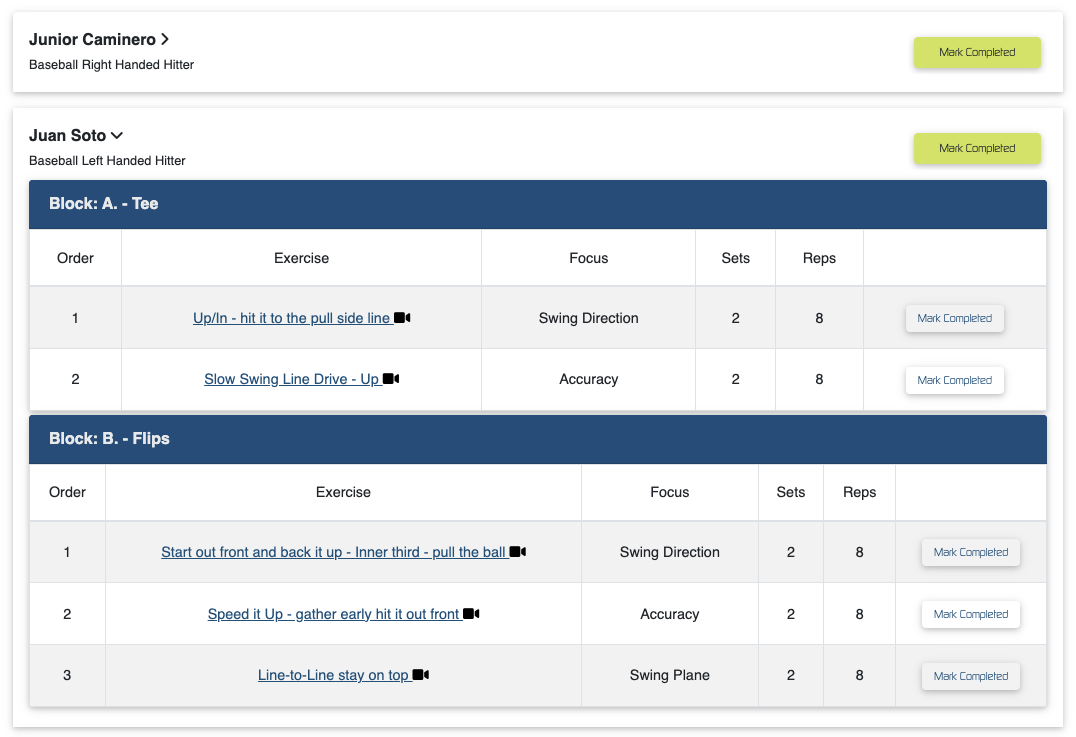
You can then access each player's custom hit plan by clicking on the individual arrows next to the player names.
***NOTE: Players will have access to the 'Session' in their own individual profile
Programs
The biggest difference between programs and sessions can be summarized in two simple concepts:
- Programs can be generated for multiple days per week, and multiple weeks of the year.
- Programs cannot be viewed by a coach unless they access them through the athlete's workout tab.
Similar to 'Sessions,' once a coach clicks into the tab, they will be prompted to build a new program.
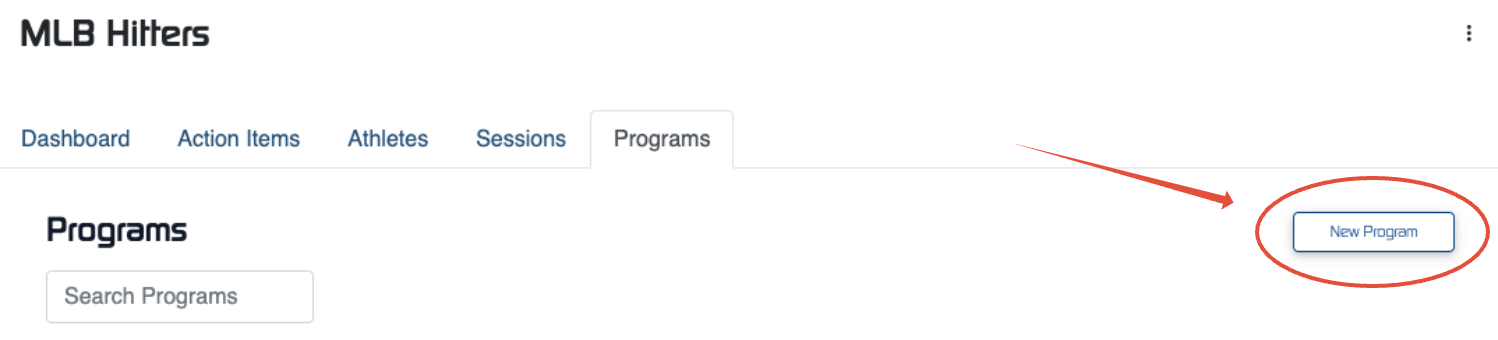
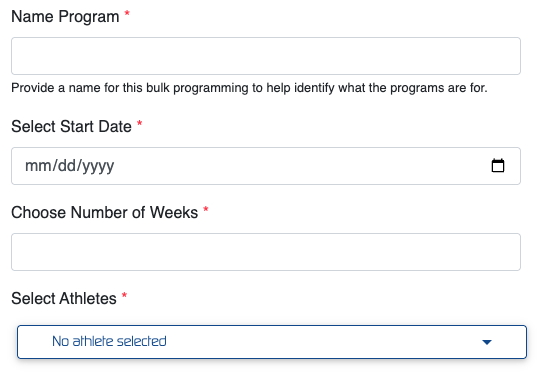
When a coach builds a new program for players they will be prompted to answer some additional questions:
- Name the program
- Select a start date
- Choose the Number of weeks which you want the workouts to appear on the player's workouts
- Choose your athletes to assign the program to
Along with selecting a 'Program Template' to assign to players. A program template will allow a coach to choose the number of days per week that will be assigned to the player to hit, and the exact ball delivery type they would like the players to work from, over that period of time.
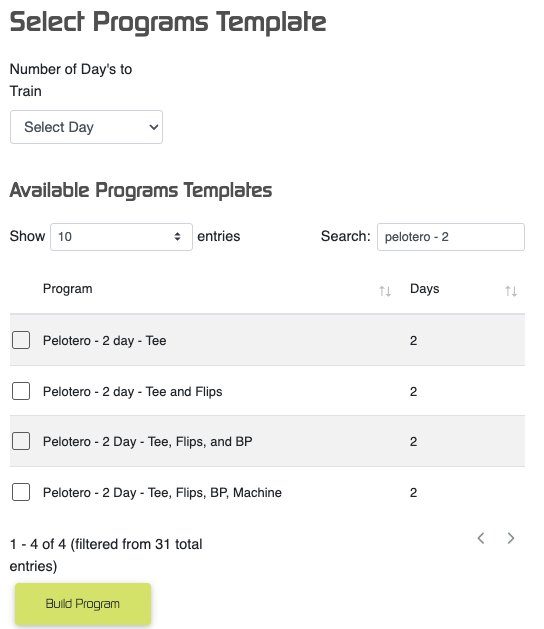
***NOTE: The template itself will just assign the cadence of the workout to the player. Each player will have individually assigned 'Workout Days' appear in their profile.
The workouts themselves WILL NOT BE GENERATED, until the athlete clicks 'START WORKOUT' on each individual day. Therefore, if data is updated during the timeframe that a program has been built for, the athlete's new data WILL BE CONSIDERED when generating a new workout.
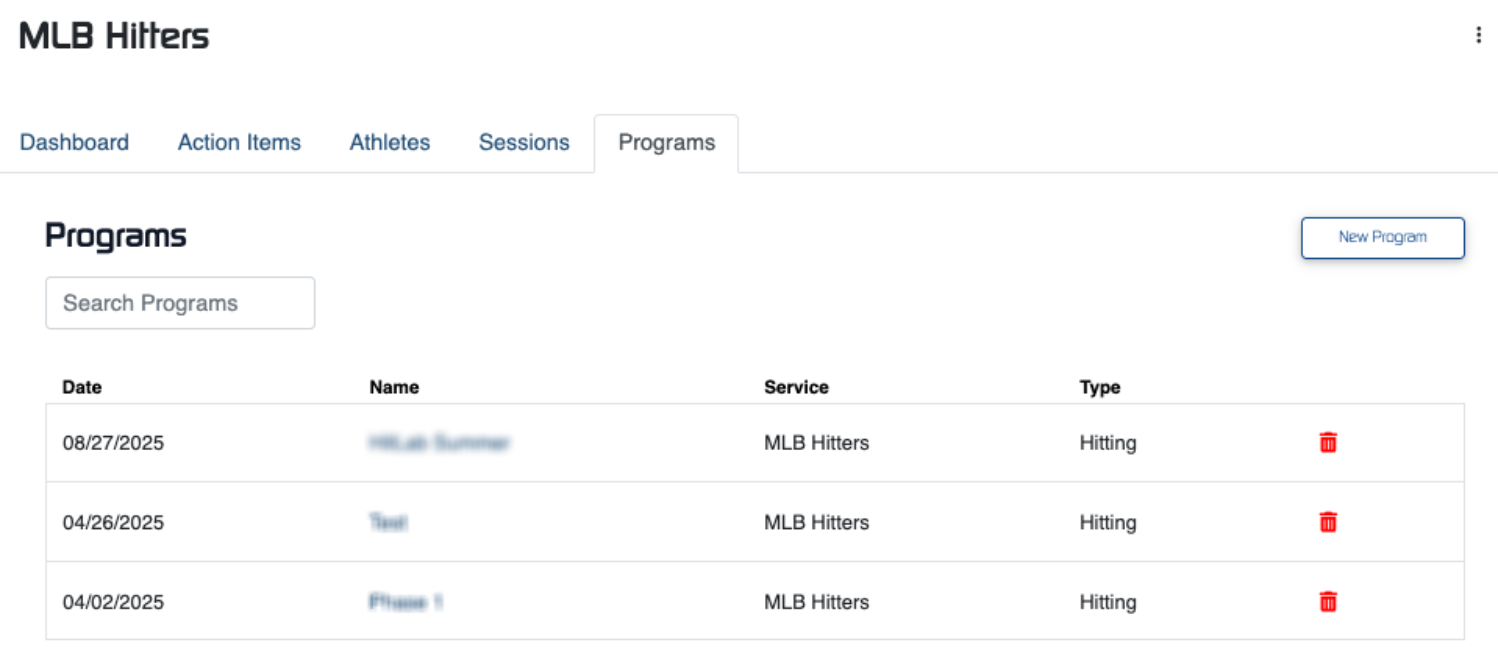
Once a program has been built, coaches will have access to it similar to the way sessions were accessed. A list of existing 'program builds' will appear on the programs tab.
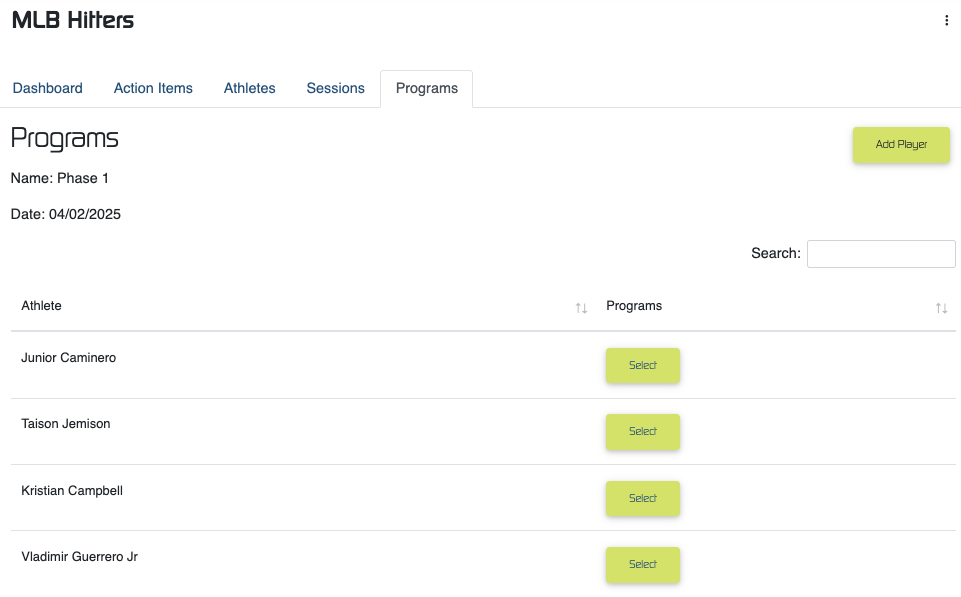
Those programs can be accessed as a list of athletes, with the biggest difference being that clicking on a players name will only take them to the player profile, and not to a specific workout.
Was this article helpful?
That’s Great!
Thank you for your feedback
Sorry! We couldn't be helpful
Thank you for your feedback
Feedback sent
We appreciate your effort and will try to fix the article